2025
FreshPrints
Fewer debates • Faster delivery • Dev-rated 4.4/5 for speed & efficiency • Shared UX standards
- Services
- Design Systems
- UI Architecture
- Documentation
- Client
- FreshPrints
- Location
- New York, NY
- Info
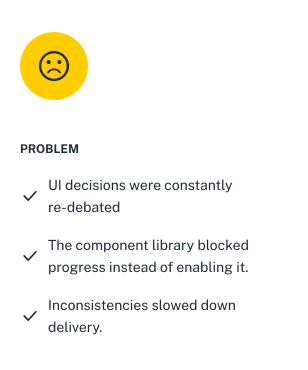
The product didn't have a design system problem. It had a decision problem. Every small UI choice turned into a discussion. Patterns weren't shared. Components couldn't evolve.
“If it's not in the library, we don't build it.”
So teams either argued or built one-offs. Delivery slowed down. And a lot of small UX fixes never made it onto the roadmap. I pushed to rebuild the system in a way people would actually use.
A design system that stopped UI debates and helped 4 product teams ship faster.
Setting the Scene
The Product Looked Fine, Until You Tried to Build Anything in It
Every UI decision turned into a discussion. The component library existed, but it was too limited to be useful and too rigid to evolve.
“If it's not in the library, we don't build it.”
This was the default answer to most things. So teams either argued, hacked around it, or shipped poor UX. As a surprise to no one, delivery slowed, issues piled up.
This was the state of the product when I joined. It was clear this wouldn't be sustainable. So I pushed for a proper design system, one that teams could actually use. It wasn't an easy sell, but over time the need became obvious.
Eventually, we formed a small team: two FE developers (web and mobile) and I (design)
Constraints
With No Full-Time DS Team, I Chose Speed and Adoption over Purity
No one was working on the system full-time, so aiming for a “perfect” system wasn't realistic. For us, the biggest goal was adoption, and that meant making trade-offs.
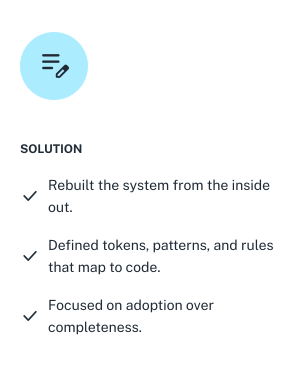
I worked closely with developers to accelerate setup. Instead of building everything from scratch, we agreed to use existing foundations and align the UI to our brand, rather than reworking component logic.
We landed on: WebAwesome for Angular and Material 3 for Flutter. This meant accepting some inconsistencies across platforms. To keep the system manageable, we set a few clear rules:
Add a component only if at least two teams need it
Build for current needs, not hypothetical ones
This reduced complexity for developers and sped up their work a lot.
The Foundations
Setting Up a Solid Token Structure
We built the system on an Atomic Design approach, supported by a shared token system between Figma and code.
I set up tokens for colour, typography, spacing, radii, and heights and I defined a three-layer token structure:
- Primitive: raw values
- Semantic: meaning-based tokens
- Component: specific overrides when needed
It was a pain to set up, but it saved us many times down the line 🥲
This token structure made dark mode and multi-brand theming a piece of cake.
Iconography
Icons were a huge topic for us.
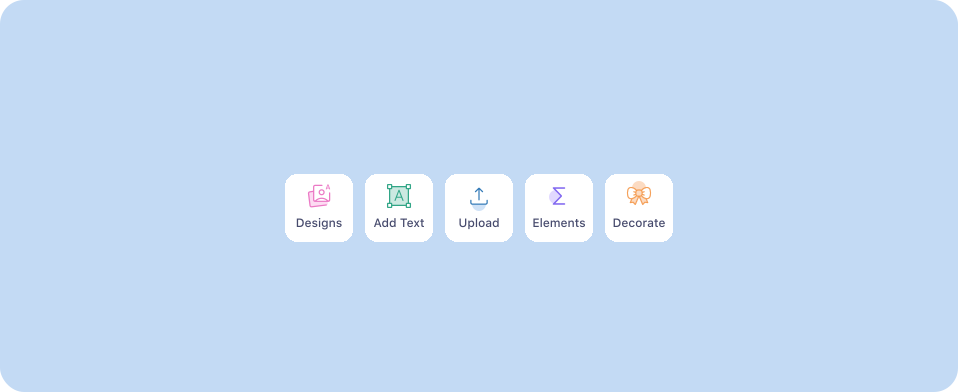
The previous icons had no unified style and were just jammed together, so I knew they had to be reworked. We decided to adopt Google's Material Icons (rounded) as a base, due to its extensive library and clean look. However, that wasn't enough, our product is very domain specific so we had to integrate many icons, down the line.
We created about 80 custom icons by hand through the design system's lifecycle.
Before
After
Systemic fixes
Making Good UX the Default
At the same time, I used the system to fix long-standing UX issues; without turning each one into a debate. Instead of proposing isolated improvements (which usually get deprioritised), I embedded them directly into the foundation.
- Accessibility by default: colour tokens were set so text and surface combinations consistently pass WCAG AA or APCA contrast.
- Usable touch targets: all interactive elements meet a minimum of 44px, even when visually smaller
- Safer interactions: introduced proper destructive actions, previously missing from the library
This way, teams didn't have to “opt in” to better UX. It came built into the system.
The rest of the UX improvements were covered by individual components and strict patterns.
Design patterns
Reducing Design Guesswork by Defining Clear Patterns
Once we had a solid base of components, I focused on patterns. I audited other design systems and products (via Mobbin) to define clear guidelines for recurring problems, areas with no single “correct” solution that were causing inconsistency and unnecessary debate.
I focused on:
- Action hierarchy and button placement
- Destructive actions
- Feedback and system states
- Tables: filtering, sorting, bulk actions
- Forms and validation
- Containers by use case
Full workflow
From Figma to Production
Any designer working on a DS knows it's only as good as the frontend dev building it, luckily, we had two strong ones. To make this work, through Supernova, we connected the design system to Storybook and Widgetbook, which became the single source of truth for developers.
Later, we pushed it a bit further.
Using Figma's Code Connect and MCP servers, we made the system easier to use in AI-assisted code generation.
My role here was support:
- aligning naming conventions with code standards
- adjusting variants to match component props
Documentation and enforcement
Documentation alone wasn't enough to drive adoption.
I initially thought that once we put out solid guidelines, things would naturally fall into place, but no one really reads documentation. Shocker.
To make the system stick, I had to be more proactive. During design reviews, I pushed for proper use of components and patterns and encouraged fellow designers to follow the system more closely. It felt a bit uncomfortable at first, but over time these patterns became the default.
On the dev side, the frontend team supported adoption by running workshops on Figma Dev Mode to help other devs get familiar with the system.
Results
Things Shipped Faster, with Less Friction
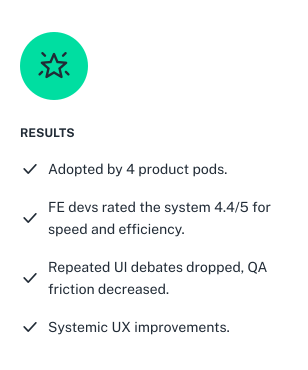
A design system is never “done,” but within six months we saw clear impact. It was adopted by 4 product pods, and developers reported faster delivery, rating it 4.4/5 on average for speed and efficiency. In some cases, work that used to take a week was done in a day.
At the same time, alignment and QA effort dropped significantly, since many inconsistencies were handled upfront by the system. Stakeholders also noticed, praising speed and calling the UI cleaner and more modern. The system has since also attracted interest from other companies within the group.
Learnings
Most design problems aren't actually design problems but alignment problems.
Once decisions were clearly defined in the system, a lot of friction disappeared. Teams spent less time debating small details, fewer inconsistencies reached development, and work moved faster.